• Skip to primary navigation
  • Skip to main content

HRMorning

  • FREE RESOURCES
  • PREMIUM CONTENT
  • HR DEEP DIVES
  • PODCASTS
    • VOICES OF HR
    • WOMEN’S LEADERSHIP TODAY
  • LOGIN
  • SIGN UP FREE
  • Employment Law
  • Benefits
  • Recruiting
  • HR Technology
  • Payroll
  • Management
  • Women’s Leadership
  • More
    • Talent Management
    • Performance Management
    • Leadership & Strategy
    • Compensation
    • Policy & Procedures
    • Wellness
    • Staff Departure
    • HR Career & Self-Care
    • Health Care
    • Retirement Plans
RM Logo
  • Leadership & Strategy

Do People Hate What You’re Writing? If You Have These 2 Bad Habits, They Do

Michele McGovern
By: Michele McGovern
  • Share on

About the Author

Michele McGovern writes. A lot. These days, she covers HR, digging deep into company culture, DEI, leadership, management and the everchanging world of work. In the years between getting a BA in journalism from a state school and writing about HR, she wrote about big-city crime for a wire service and small-town life for local newspapers. She’s a mediocre mom, decent wife, wannabe athlete and consummate pursuer of fun - on land, snow and water. Find her on LinkedIn @michele-mcgovern-writer.

Show Less
Last Updated: May 7, 2026
3 minute engagement

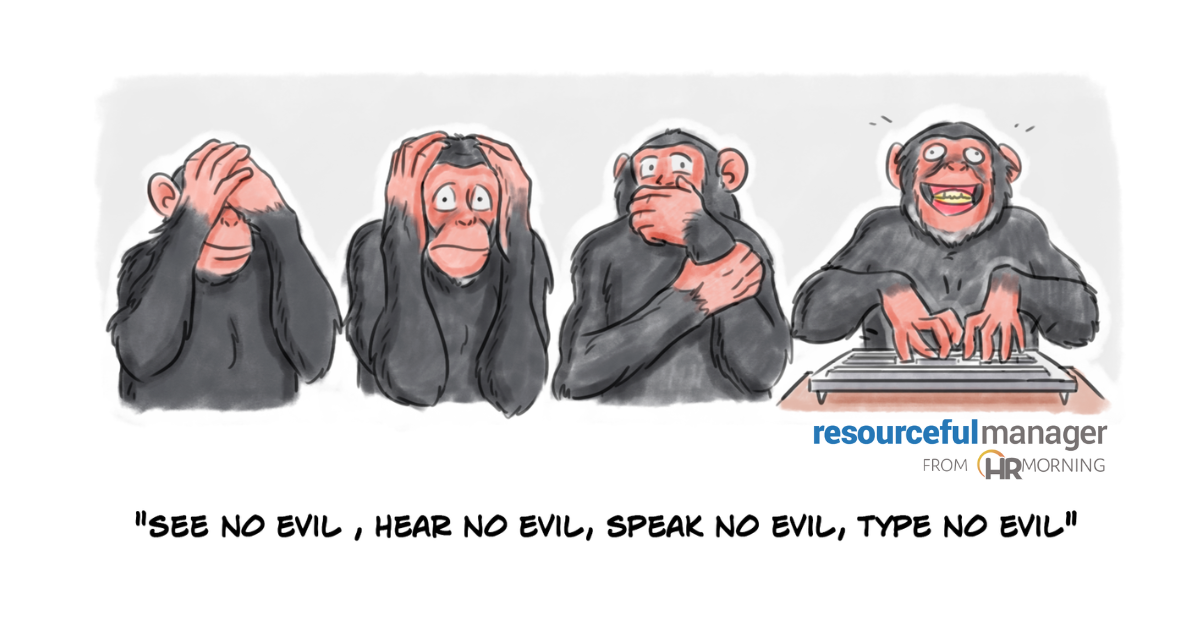
Even good leaders can have bad writing habits.

It’s mostly because they don’t think they’re committing them. Or they’re hiding behind the keyboard, trying to avoid committing those faux pas verbally.

“Some words set us up to be misunderstood,” says Jo Anne Preston, author of Lead the Way in Five Minutes a Day: Sparking High Performance in Yourself and Your Team. “Others shut people down, make them feel excluded, and even make them dislike us.”

Be Better Than Bad Writing

But good leaders can be better than any bad writing habits.

“The idea is to think intentionally about whether our words work for or against our employees’ needs, says Preston. “A small shift in your … habits can make a big difference.”

The first step in making that shift: Know what makes for bad writing — in email, chat, social platforms, etc.

Here are the two major issues, why they’re problems and what to do instead:

1. Passive-Aggressive Language

We usually think of passive-aggressive behavior — indirectly expressing negative feelings instead of openly addressing them — in verbal and physical ways.

For instance, a manager says, “I guess if that’s what you want to do, go ahead.” But the manager’s tone and eye-rolling suggest she really wants the employee to handle the situation differently.

“Assumptions, fear of failure, conflict-aversion and poor anger management are just some of the reasons people wage their personal vendettas via email,” says Susan Room, a professional voice and executive coach.

In writing, the words and their meaning come out differently.

In fact, a survey by Preply found these 10 of the most passive-aggressive written phrases used in the workplace: 

  • Per my last email 
  • Correct me if I’m wrong
  • As previously mentioned
  • Just a gentle reminder
  • Going forward
  • Thought I’d bring this to your attention
  • I might be mistaken, but
  • Thanks in advance
  • Just to clarify
  • Please advise

Why it’s an issue: Most come off as a nudge, slight or veiled insult. They’re directives given without emotion or, in some cases, context. So recipients feel the aggressive push behind the soft, stilted language.

Better: Have a real conversation.

“Talk with — not at or to — your colleague, using a warm, direct tone of voice,” says Room. “Offer specific examples of what they say and how it impacts you, remembering this is your opinion; others may disagree. Ask if they see your point of view.”

For instance, instead of an email that says, “Going forward, you’ll need to get my approval on …” schedule a meeting to talk. Say, “When you do X, it affects how we do Y and the result is Z, which is not ideal. Can we work together on a better way to handle this going forward?”

“When speaking, you can flex your voice to communicate in the clearest, most helpful way,” says Room. “However carefully crafted, your written words may not be received the way you intended.”

2. Frustrating Words and Phrases

Beyond the passive-aggressive messages are messages tainted with words and phrases that tend to frustrate the recipients.

Here are four words and phrases that put off people most in the workplace:

  • Subordinate
  • LDI, ROI, HRSA, HIT (or any acronym)
  • I/me, and
  • The girls. You guys (and similar groupings)

Why it’s an issue: The more people see words that frustrate, belittle or just annoy them, the more they’ll tune out the message and its sender.

Better: “When managing a variety of people, it can be difficult to consider your every word,” says Preston. “But being intentional about prioritizing openness and understanding can make you a well-respected leader.”

For the words we listed above, here are some alternatives:

  • Subordinate. Avoid the chasm it creates between the boss and employees with words that create unity, such as “team” and “employees.”
  • LDI, ROI, HRSA, HIT (or any acronym). Spell it out on the first mention, and follow that with its acronym in parentheses. Use the acronym in the message after that.
  • I/me. Too many mentions of what you think, expect or do put off readers. Instead, use “we” and “us” more.
  • The girls. You guys. They’re not inclusive. Instead, write (and say) “team,” “everyone,” “folks” or “y’all.”
Filed under
RM Logo
  • Leadership & Strategy
  • Share on

Get the HRMorning Newsletter

With HRMorning arriving in your inbox, you will never miss critical stories on labor laws, benefits, retention and onboarding strategies.

  • This field is for validation purposes and should be left unchanged.
  • This field is hidden when viewing the form
  • This field is hidden when viewing the form
  • This field is hidden when viewing the form
  • This field is hidden when viewing the form
  • This field is hidden when viewing the form
  • This field is hidden when viewing the form
  • This field is hidden when viewing the form
  • This field is hidden when viewing the form
  • This field is hidden when viewing the form
  • This field is hidden when viewing the form
  • This field is hidden when viewing the form
  • This field is hidden when viewing the form
  • This field is hidden when viewing the form
  • This field is hidden when viewing the form
  • This field is hidden when viewing the form
  • This field is hidden when viewing the form
  • This field is hidden when viewing the form
  • This field is hidden when viewing the form
  • This field is hidden when viewing the form
  • This field is hidden when viewing the form
  • This field is hidden when viewing the form
  • This field is hidden when viewing the form
  • This field is hidden when viewing the form
  • This field is hidden when viewing the form
  • This field is hidden when viewing the form
  • This field is hidden when viewing the form
  • This field is hidden when viewing the form
  • This field is hidden when viewing the form
  • This field is hidden when viewing the form
  • This field is hidden when viewing the form
  • This field is hidden when viewing the form
  • This field is hidden when viewing the form
  • This field is hidden when viewing the form
  • This field is hidden when viewing the form
  • This field is hidden when viewing the form
  • This field is hidden when viewing the form
  • This field is hidden when viewing the form
  • This field is hidden when viewing the form
  • This field is hidden when viewing the form
  • This field is hidden when viewing the form
  • This field is hidden when viewing the form
  • This field is hidden when viewing the form
  • This field is hidden when viewing the form
  • This field is hidden when viewing the form
  • This field is hidden when viewing the form
  • This field is hidden when viewing the form
  • This field is hidden when viewing the form
  • This field is hidden when viewing the form
  • This field is hidden when viewing the form
  • This field is hidden when viewing the form
  • This field is hidden when viewing the form
  • This field is hidden when viewing the form
  • This field is hidden when viewing the form
  • This field is hidden when viewing the form
  • This field is hidden when viewing the form
  • This field is hidden when viewing the form

Free Training & Resources

Webinars

Scaling Together: Ensuring HR Evolves as the Business Grows

Provided by Insperity

White Papers

State of Women’s and Family Health Benefits 2026

Provided by Maven Clinic

Webinars

The Power of Recognition: Engaging the Multi-generational Workforce

White Papers

Up to 821% ROI: The Projected Total Economic Impact™ of Paycom’s Time-Off Requests Featuring GONE®

Provided by Paycom

SPONSORED CONTENT

HR Technology

sponsored content
The Best AI Software for HR Automation

Courtesy of G-P

Talent Management

sponsored content
Powerful Employee Retention Strategies for 2025: How to Keep Your Best People

Courtesy of PEOPLEGURU

Benefits

Health Care

Wellness

sponsored content
Proven Results: 5 Ways Teladoc Health Chronic Condition Management Transforms HR Outcomes

Courtesy of TELADOC HEALTH

Further Reading

  • Leadership & Strategy
Old Friend Becomes New Boss: 7 Tips to Handle The Transition

Congratulations! You were an employee. Now you’re the new boss. You can stop the celebration because this is where it gets complic...

  • Leadership & Strategy
Horrible Bosses: 12 Signs They’re in Your Midst

As far as bosses go, the majority aren’t stellar. In fact, a Stagwell study found that 71% of the employees surveyed have had a t...

  • Leadership & Strategy
How to cultivate workforce resilience in a time when it’s needed most

It’s no secret that employee and leadership well-being has taken a dip since the pandemic. With economic turbulence fueling layoff fears,...

  • Leadership & Strategy
Quiet Quitting vs. Loud Quitting: A Guide to Identify, Understand and Mitigate

By now, you’ve surely heard about quiet quitting – and its obvious counterpart, loud quitting. They were trendy buzzwords, but they des...

  • Leadership & Strategy
3 Ways to Balance Flexibility and In-office Culture Now

One of the newest snags in the employee-employer relationship is the idea of flexibility. Employees want it, but employers are afraid it wi...

  • Leadership & Strategy
3 Ways HR Has Responded to Latest Hiring Trends

The hiring trends that defined us a year ago – both widespread layoffs and painful worker shortages, depending on your industry – ...

Get the latest from HRMorning in your inbox PLUS immediately access 10 FREE HR guides.

I WANT MY FREE GUIDES
HR Morning Logo
  • Facebook
  • Linked In
  • ABOUT HRMORNING
  • ADVERTISE WITH US
  • WRITE FOR US
  • CONTACT
  • Employment Law
  • Benefits
  • Recruiting
  • Talent Management
  • Performance Management
  • HR Technology
  • Leadership & Strategy
  • Compensation
  • Policy & Procedures
  • Wellness
  • Staff Departure
  • HR Career & Self-Care
  • Health Care
  • Retirement Plans
  • DEI

HRMorning, part of the Rover Insights Network, provides the latest HR and employment law news for HR professionals in the trenches of small-to-medium-sized businesses. Rather than simply regurgitating the day's headlines, HRMorning delivers actionable insights, helping HR execs understand what HR trends mean to their business.

Powered By Rover Insights
Privacy Policy | Terms of Service
Copyright© 2026 Rover Insights
HRMorning Logo

WELCOME BACK!

Enter your username and password below to log in

Forget Your Username or Password?

Reset Password

Lost your password? Please enter your username or email address. You will receive a link to create a new password via email.

Log In

Why do we need your credit card for a free trial?

We ask for your credit card to allow your subscription to continue should you decide to keep your membership beyond the free trial period.  This prevents any interruption of content access.

Your card will not be charged at any point during your 21 day free trial
and you may cancel at any time during your free trial.

During your free trial, you can cancel at any time with a single click on your “Account” page.  It’s that easy.
