• Skip to primary navigation
  • Skip to main content

HRMorning

  • FREE RESOURCES
  • PREMIUM CONTENT
  • HR DEEP DIVES
  • PODCASTS
    • VOICES OF HR
    • WOMEN’S LEADERSHIP TODAY
  • LOGIN
  • GET STARTED
  • Employment Law
  • Benefits
  • Recruiting
  • HR Technology
  • Payroll
  • Management
  • Women’s Leadership
  • More
    • Talent Management
    • Performance Management
    • Leadership & Strategy
    • Compensation
    • Policy & Procedures
    • Wellness
    • Staff Departure
    • HR Career & Self-Care
    • Health Care
    • Retirement Plans
RM Logo
  • Leadership & Strategy

Stop These 6 Communication Habits That Drive Co-Workers Crazy

Michele McGovern
By: Michele McGovern
Read it on Beacon
  • Share on

About the Author

Michele McGovern writes. A lot. These days, she covers HR, digging deep into company culture, DEI, leadership, management and the everchanging world of work. In the years between getting a BA in journalism from a state school and writing about HR, she wrote about big-city crime for a wire service and small-town life for local newspapers. She’s a mediocre mom, decent wife, wannabe athlete and consummate pursuer of fun - on land, snow and water. Find her on LinkedIn @michele-mcgovern-writer.

Show Less
Last Updated: April 28, 2026
4 minute engagement
You read HRMorning's newsletter. Beacon's Daily Brief is the version tuned to you: it skips what you've already read and leads with what you've asked Beacon about. Get your Daily Brief →

Does your boss send rambling email messages? Do employees’ memes make you want to scream? Do you drive co-workers crazy with texts?

Yes, yes and – as much as you’d like to think you’re innocent of communication gaffes – the answer is, yes. We’re all guilty of communication habits that drive co-workers, employees and the boss crazy.

And as we see less of each other in actual workplaces, it’s only become worse. We text, Slack, ping, email and DM more than we actually talk to people.

What’s Acceptable and Doesn’t Drive Co-workers Crazy?

“The scope of what’s considered acceptable at work has changed,” says Tessa West, a professor of psychology at New York University and author of Job Therapy: Finding Work that Works for You.

While almost all employees agree that electronic communication is essential and preferred for the workplace, nearly 90% agree email specifically has led to miscommunication issues, according to a report from Preply.

Beyond miscommunication – or perhaps contributing to it – here are six communication habits that drive co-workers crazy, plus ways to eliminate them.

1. Annoying Email Wordage

We’ll start with those emails that often lead to miscommunication.

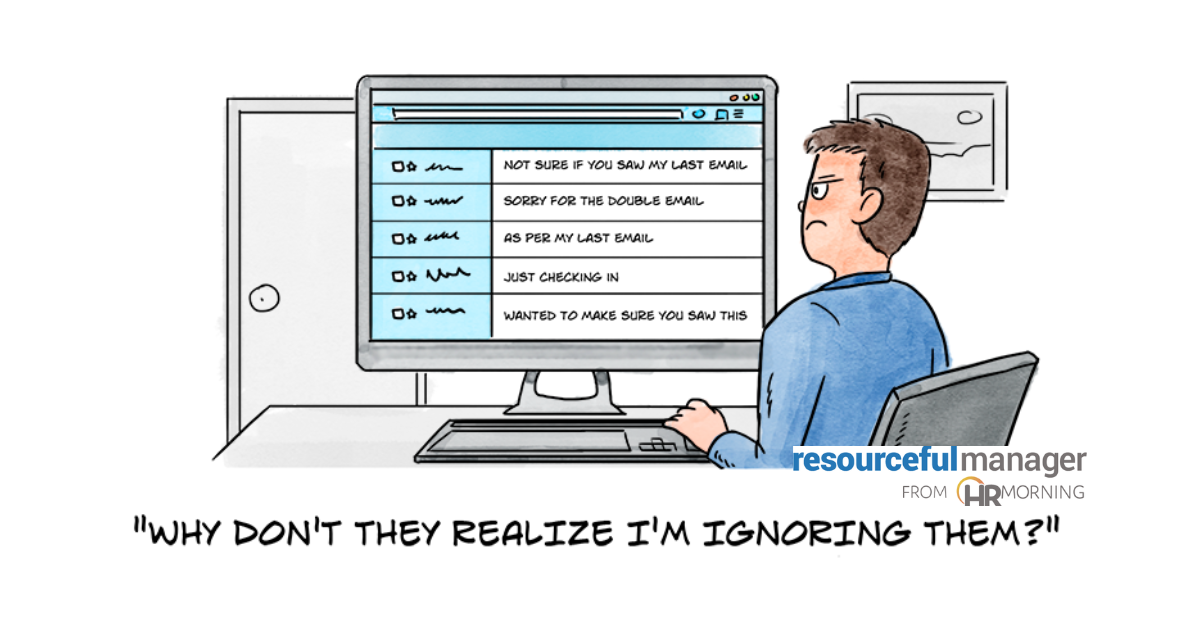
If you open any of your email messages with these phrases, you drive employees and colleagues batty:

  • Not sure if you saw my last email
  • Sorry for the double email, or
  • As per my last email.

You know why? Because what you’re really saying is, “I know you saw my other emails and I want you to respond now. I don’t care what else you have going on!”

Alternative: If you really need an immediate response, talk to the person. If it can wait, then you wait.

2. The Wrong Signal

When it comes to instant messaging, nearly 90% of employees use Slack, Microsoft Teams or Google Chat. But something in this channel annoys colleagues: dishonesty about where you are.

They dislike it when co-workers set themselves as online and available when they aren’t working. And, almost equally, they dislike when colleagues set themselves as offline and unavailable when they are able to communicate.

Both cases make it seem like you want to avoid communicating with colleagues.

Alternative: Send the right signal. If you’re online but don’t have time to interact, put that in your status. If you’re out, fess up.

3. An Unexpected Video Call

While we’re on the messaging subject, let’s jump to video calls. See how I warned you we’d go to a call? In the workplace, it’s a courtesy that’s expected.

So employees hate it when colleagues start a video call without giving some kind of notice.

It could be vanity – no one wants to be caught on camera looking their worst. But it could legitimately be professionalism. People prefer to be prepared for business (unlike a couple of the attendees in this Saturday Night Live skit).

Alternative: Message, text or email your intentions for a video call – and wait for a response – before you initiate one.

4. Weird Images

GIFs can be fun with friends. But most employees call them unprofessional and a waste of time (to read or bother sending) in work communication. Still, 80% of employees think emojis are helpful to decipher emotions in written communication, a LiveCareer survey found.

Alternative: It seems OK to send an appropriate emoji – one that truly reflects what you’re feeling. But, stop short of sending memes and GIFs that aren’t related to work just for the sake of getting a rise or laugh out of colleagues.

5. Email After Hours

There’s a lot to love about email. In fact, 49% of employees say it’s their preferred form of workplace communication.

But they don’t want to hear from you via email when they’re not working. About 30% of employees think it’s a bother to receive work email at odd hours. And nearly the same percentage don’t like non-work-related messages coming in from colleagues.

Alternative: Send emails to employees only during work hours. If you draft a message after hours, put a snooze on it so it’s released when the next workday starts.

6. Too Many Words

Whether it’s email, chat or text, too much is too much! Written communication is convenient and allows us to work asynchronously, but it’s not always the most efficient or reader-friendly way to handle business.

Employees in the survey said rambling messages and long paragraphs in electronic communication are annoying and ineffective. People tend to scan that kind of information, rather than soak in what they need to know, respond to or act on.

Alternative: If it’s a long message, follow the style we usually use here on HRMorning: short paragraphs, bullet points and several subheads to break up copy. If the message is complex, sensitive or information-heavy, try a conversation to get the communication started.

Read it on Beacon
Open this article in Beacon, from HRMorning, and ask how it applies to your company. Every answer names its source.
Read it on Beacon
Get HRMorning's newsletter tuned to you every morning: your Daily Brief on Beacon →
Filed under
RM Logo
  • Leadership & Strategy
  • Share on

Get the HRMorning Newsletter

With HRMorning arriving in your inbox, you will never miss critical stories on labor laws, benefits, retention and onboarding strategies.

Get it free with a Beacon account. Beacon keeps your company's HR context at hand, and every answer names its source.
Create my free account

Free Training & Resources

White Papers

Customer Service Teams Take the Complaints. Make Sure They Also Get the Thanks.

Provided by Inspirus

White Papers

The Open Enrollment Communication Toolkit: Every Message, Ready to Send

White Papers

TriNet – The Total Economic Impact of TriNet PEO (Forrester TEI Report)

Provided by TriNet

White Papers

The True Cost of a Delayed Diagnosis

Provided by Maven Clinic

SPONSORED CONTENT

Performance Management

Talent Management

sponsored content
Employee Recognition Program: What the First 6 Months Reveal About Whether It Will Last

Courtesy of INSPIRUS

Compensation

Recruiting

sponsored content
Salary Benchmarking: 6 Choices That Decide Whether Your Pay Data Holds Up

Courtesy of MARSH

Employment Law

Policy & Procedures

sponsored content
Policy Rollout: 4 Checkpoints That Show Employees Got the Message

Courtesy of NAVEX

Further Reading

  • Leadership & Strategy
Initiative: How an All-Women’s Team Helps an NFL Quarterback Win

If you don’t think initiative works when it comes to getting ahead, here’s a woman’s leadership story built around NFL pl...

  • Leadership & Strategy
  • Talent Management
Turnover and How to Avoid Institutional Knowledge Loss

Most organizations track employee turnover closely. It’s standard practice to follow in-house trends, measure replacement costs, and fill...

  • Leadership & Strategy
8 Must-Have Management Traits That Inspire Employees

It may sound cliche, but to inspire employees, leaders need to be an inspiration. Leaders who inspire easily light a fire under employee...

  • HR Technology
  • Leadership & Strategy
How to Build a Solid Business Case for New HR Technology

HR technology buying often stalls at the same point. The demo lands. Everyone agrees the current system isn’t working. The meeting wraps ...

  • HR Technology
  • Leadership & Strategy
HRIS Guide for HR: How HRIS Software Enhances Strategy

Picture this: Payroll cutoff is a few hours away, and a manager submits a last-minute change. The pay and title information in payroll does...

  • Leadership & Strategy
Focus on Employee Recognition in Healthcare: 4 Keys

The healthcare industry has been disrupted since 2020, and despite a hesitant return to normalcy for most, there’s no denying that health...

Get the latest from HRMorning in your inbox PLUS Beacon, free. Check it before you say it.

GET STARTED FREE
HR Morning Logo
  • Facebook
  • Linked In
  • ABOUT HRMORNING
  • ADVERTISE WITH US
  • WRITE FOR US
  • CONTACT
  • Employment Law
  • Benefits
  • Recruiting
  • Talent Management
  • Performance Management
  • HR Technology
  • Leadership & Strategy
  • Compensation
  • Policy & Procedures
  • Wellness
  • Staff Departure
  • HR Career & Self-Care
  • Health Care
  • Retirement Plans
  • DEI

HRMorning provides the latest HR and employment law news for HR professionals in the trenches of small-to-medium-sized businesses. Rather than simply regurgitating the day's headlines, HRMorning delivers actionable insights, helping HR execs understand what HR trends mean to their business.

Privacy Policy | Terms of Service
Copyright© 2026 HRMorning
HRMorning Logo

WELCOME BACK!

Enter your username and password below to log in

Forget Your Username or Password?

Reset Password

Lost your password? Please enter your username or email address. You will receive a link to create a new password via email.

Log In

Why do we need your credit card for a free trial?

We ask for your credit card to allow your subscription to continue should you decide to keep your membership beyond the free trial period.  This prevents any interruption of content access.

Your card will not be charged at any point during your 21 day free trial
and you may cancel at any time during your free trial.

During your free trial, you can cancel at any time with a single click on your “Account” page.  It’s that easy.
