
Microsoft Excel: The Basics & Beyond for Today’s Top Professionals
Master Time-Saving Excel Skills That Boost Productivity and Confidence
On-demand recording
90 minutes | INSTRUCTOR-LED TRAINING
In this 90-minute, instructor-led training, you will learn how being proficient in Excel will set you up for immediate and lifelong success. Discover career-advancing features like shortcuts, calculations, formatting and charts, so that you can use Excel with ease and confidence. Gain must-have skills for spreadsheet success and join us for this hands-on training to discover:
- Can’t-miss Excel techniques that will make your life much easier
- Shortcuts that will shave hours of frustration from your day(s)
- Formulas & charts: Save time & effectively present your data
- Fast ways to enter data, format rows & format columns
- Essential tips to navigate spreadsheets with ease
- Bonus – A (34 pg.) quick reference eBook that contains must-have Excel tips
Practice while you learn: Each session includes a file that contains instructor-assisted exercises to boost your performance right away. Can’t make this date? Don’t worry! Every registrant receives the recording, so you can watch it on your own time and then submit your questions.
Program Highlights
Must-have Skills to Effectively Harness the Power of Excel
- Key Excel tricks every user must know
- How to cut time with easy navigation tips that improve efficiency
- Entry & editing shortcuts to save time & improve accuracy
- Best ways to work with rows, columns & formatting essentials
Formulas & Formatting Success: Easy Tips to Get You Up to Speed
- Basic arithmetic & formulas: Step-by-Step guidance to get started
- Formulas: Have Excel calculate them automatically to save you time
- Keys to using simple Functions: Autofill, Autosum & Sorting
- Professional looking spreadsheets: Formatting tricks you need to know
- Charts & graphic elements: Solutions to effectively present your data
Additional tools:
- 15 minutes of assisted exercises to boost your performance right away
- 30 minutes of interaction & live Q&A session!
Bonus – A must-have (34 pg.) guide that contains Excel tips – for easy future reference.
About the speaker

Mike Thomas, Trainer: Excel, PowerBI & MS Office, Microsoft MVP
You May Also Like
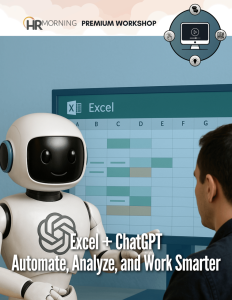
Excel + ChatGPT: Automate, Analyze, and Work Smarter
In our 60-minute program, you’ll discover how combining Excel with ChatGPT can revolutionize the way you work, giving you more time for analysis, strategy, and decision-making.
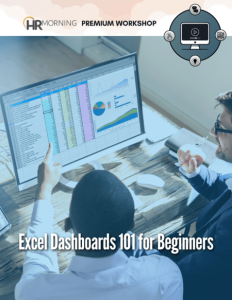
Excel Dashboards 101 for Beginners
By the end of this training, you’ll have the skills to create effective dashboards that provide valuable insights across various industries and management levels. Improve your reporting, enhance your data analysis, and make more informed business decisions. Advance your Excel knowledge and boost your career with this practical dashboard training!
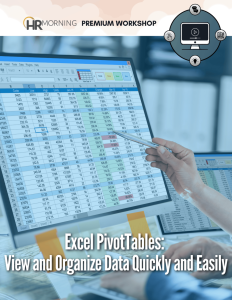
Excel PivotTables: View and Organize Data Quickly and Easily
Join us for a 90-minute training with live demonstrations, followed by 15-minutes of assisted exercises and a 15-minute interactive Q&A session that will drastically impact your learning curve and retention.