I Used AI to Do My Work for 1 Month — And This Is How It Affected My Job

Would you let AI do your job for you?
After all, if AI could do your work, you probably wouldn’t have a job.
That’s why some people might think I did the unthinkable: I used AI to do my job for a month.
OK, OK, as you probably know, very few of us can sit back, relax and just let Artificial Intelligence — or any kind of Large Language Models such as ChatGPT, Bard and Perplexity — do all of our work.
But it was my mission to see how much it could do for me.
Why? After all, if you’ve ever trained a new employee, you probably know that handing your job over to someone else is actually more work. Still, I’m no stranger to these experiments (I once quit social media for our readers!)
Why I Used AI
More than 20% of U.S. workers say at least some of their work is done with AI, according to a Pew Research Center survey. That’s up from 16% last year.
I used AI to do my job for more than one reason:
- The big boss asked me to be one of the AI-usage guinea pigs in our organization
- I wanted to see if it’s as scary and/or useful as we’ve heard, and
- I wanted to give our readers an insider look at something that will likely impact nearly everyone’s work.
Understand this: Using AI to do my job had the potential to be the equivalent of me digging my own grave. If I worked AI well enough, it could take my job from under my typing fingers.
So, are you wondering — is AI worth it? Will it make your job easier? Or will it put us all at career risk.
Well, the simple answer is, it’s complicated.
Let me sort it out in hopes of helping readers, leaders and employees figure out what’ll work best for them and their organizations.
AI in the Workplace Today
Almost anything I report here today will be different tomorrow because AI changes almost every day. But let’s look at what we know about AI in the workplace.
- 10% of companies have used it regularly in the past two weeks, which is actually a slight drop in usage from last year, according to the U.S. Census Bureau
- 90% of companies have used some form of AI at some time, an EY study found. (Remember, AI was used in apps and software systems — from chatbots to digital scanners — before it was a straight-up search tool for curious workers)
- ChatGPT took just two months to gain 100 million users. For perspective, it took six and a half years for Google Translate to reach that many, Netflix 10 years, Instagram two and a half years and TikTok about nine months, according to GlobalX’s data.
- 77% of employees trust AI technologies
- 71% of employees are concerned about it in the workplace, and
- About 80% of employees want AI-specific training opportunities, plus best practices on responsible use.
AI blew up like a volcano — and now people want to see what the explosion is all about.
I’m one of them. Plus, I interviewed lots of people in different work capacities about their experiences using AI to do their work.
Here are the five takeaways.
1. Don’t Trust the Data
If there’s one thing that was uniform across the experiences of my interviewees, colleagues’ and myself, it’s this: You can’t trust the data. It’s unfortunate because everyone wants to be right, but AI isn’t the tool to get things right.
I would estimate that I spent more time fact-checking information generated by AI than I would have normally spent finding appropriate data and research through a good, old-fashioned Google search. Same goes for everyone — and I mean everyone — I talked with about this: Facts were fake.
For instance, some studies didn’t exist. It made up articles and authors. Some court cases didn’t exist. Some legal advice was outright wrong — the kind of advice that could get managers and HR pros in trouble. All fake information continued to generate even when we prompted AI to drive us to sources.
Tip 1: Check your AI facts. In my profession — journalism — facts, unbiased insight and real people with legitimate expertise are the backbone of what we do. I have no choice but to fact-check AI information. But it’s a rule that anyone who uses AI to do their job — and wants to be respected for their work — will want to follow.
In addition, my colleagues and I do find that when we check information across different AI platforms, we find more trustworthy information. Some queries work better in some platforms. So experiment with the type of information you need.
2. Trust the Clean Up
On the flipside of the coin, AI did a B+ job of editing, proofreading and checking my content for consistency in tone and structure.
It’s an area that saved me time, and eliminated the human element that’s usually involved. Quite honestly, this is one area that AI could take over my job.
Similarly, some people I talked with used AI to improve their work. For instance, they dropped images, charts, written content and even web pages in AI tools and asked, “How can we make this better?” And the results were not just usable. They were incredible.
Tip 2: Try AI to make what you do better. Remember — humans usually have the best ideas. But technology can help us optimize them.
3. Use It to Get Creative
I — and most of the people I’ve talked to about it — have found that AI is a game changer when it comes to generating ideas.
I asked for help creating headlines. In seconds, I had several that were appropriate to use. My colleague asked for help creating unique images based on a basic image he fed into the machine. Bam — he had several that might have taken him an afternoon to generate. Instead of brainstorming with a group, many people successfully prompted AI to give them ideas on the subject they needed.
Now, here’s the thing: We found that most ideas don’t stand on their own. They’re starters. You can ask AI more questions to get more specific, or you can let your creativity flow from one prompt.
Tip 3: The more information you give AI, the more helpful it is at generating ideas. For instance, don’t ask for “ideas to make mashed potatoes.” Ask for “3 ideas to make mashed potatoes without a mixer. Include tips for a new cook. Include recipes that will please school-aged children.”
4. Use It to Enhance
AI was also a helpful tool for enhancing what exists. In my colleague’s words, “The main purpose of AI for me is to update existing content and build from it to increase the tangible takeaways our customers receive.”
Some people I talked with used AI to create written products generated from a spoken event. Others used it to send even better sales emails and proposals.
Here’s the better part: We — and you — know what already works, whether it’s a service you provide, a product you make and market, or in my case, a good story. AI has helped us create new ideas, products and services off those existing successes — and in a flash.
Tip 4: Maximize what you already know is successful. Ask AI to take information — from a webinar to an annual report — and break it down to smaller, valuable pieces.
5. Don’t Give Up Your Day Job
Bottom line, AI couldn’t do my job entirely. As it turned out, AI didn’t replace anyone I talked with (note: they were all white collar workers). In fact, when I asked AI to identify companies that replaced humans with AI, I couldn’t verify any of the three examples it gave!
Now, I’m not saying it won’t happen. AI has the potential to replace employees who do monotonous work that needs little oversight and can be automated. But, in an age when most employees are cross-trained, AI will more likely replace tasks within our jobs, not entire roles.
To put that into perspective — and to take the fear out of AI replacing us — consider this from Kellogg School of Management professor and researcher Hatim Rahman: Of the 270 jobs listed in the 1950 census, just one job has been eliminated by automation: elevator operator!
Tip 5: Explore. Whether on the job or after hours, fiddle with AI to drill down to one task it can successfully do for you. Even better, ask AI to help you do your work more effectively. And if you struggle to ask the right questions, this guide can help you navigate.
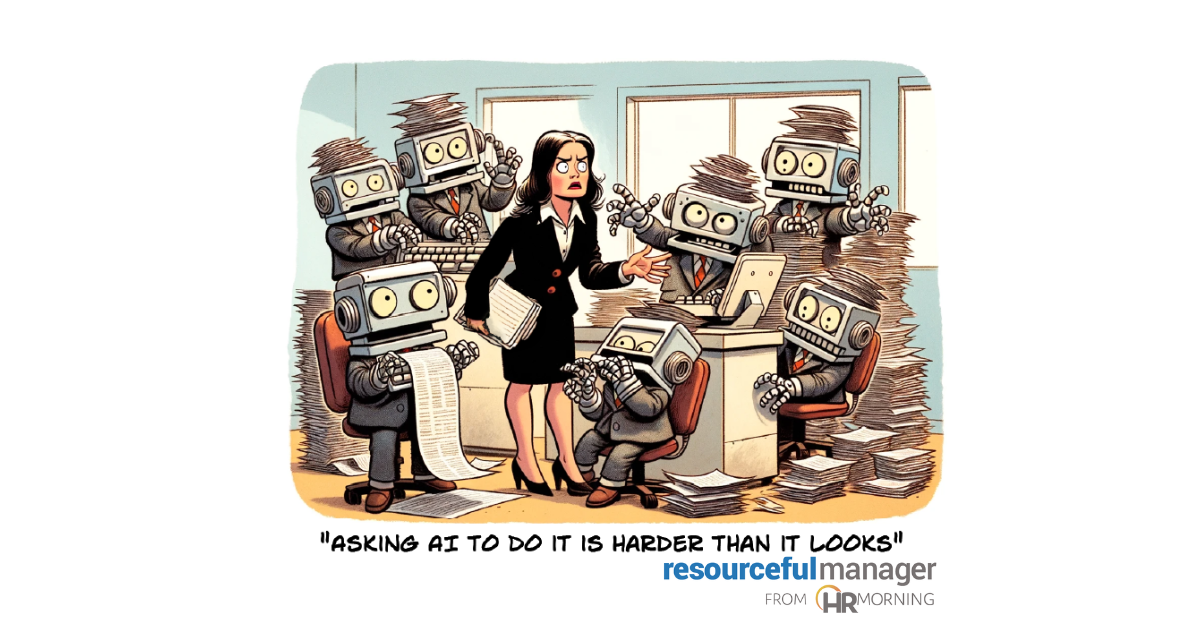
Final note: I did NOT use AI to write this story. But I did use AI to help come up with ideas to create the cartoon!

- Share on


Free Training & Resources
White Papers
Provided by Maven Clinic



